Connecting Shopify
SweetRep integrates with Shopify to automatically generate discount codes, track orders, and attribute sales to your ambassadors.
Before you begin
- You need a Shopify store with an active plan (trial stores work too).
- You must be the store owner or have Apps permission in Shopify.
Connection walkthrough
1
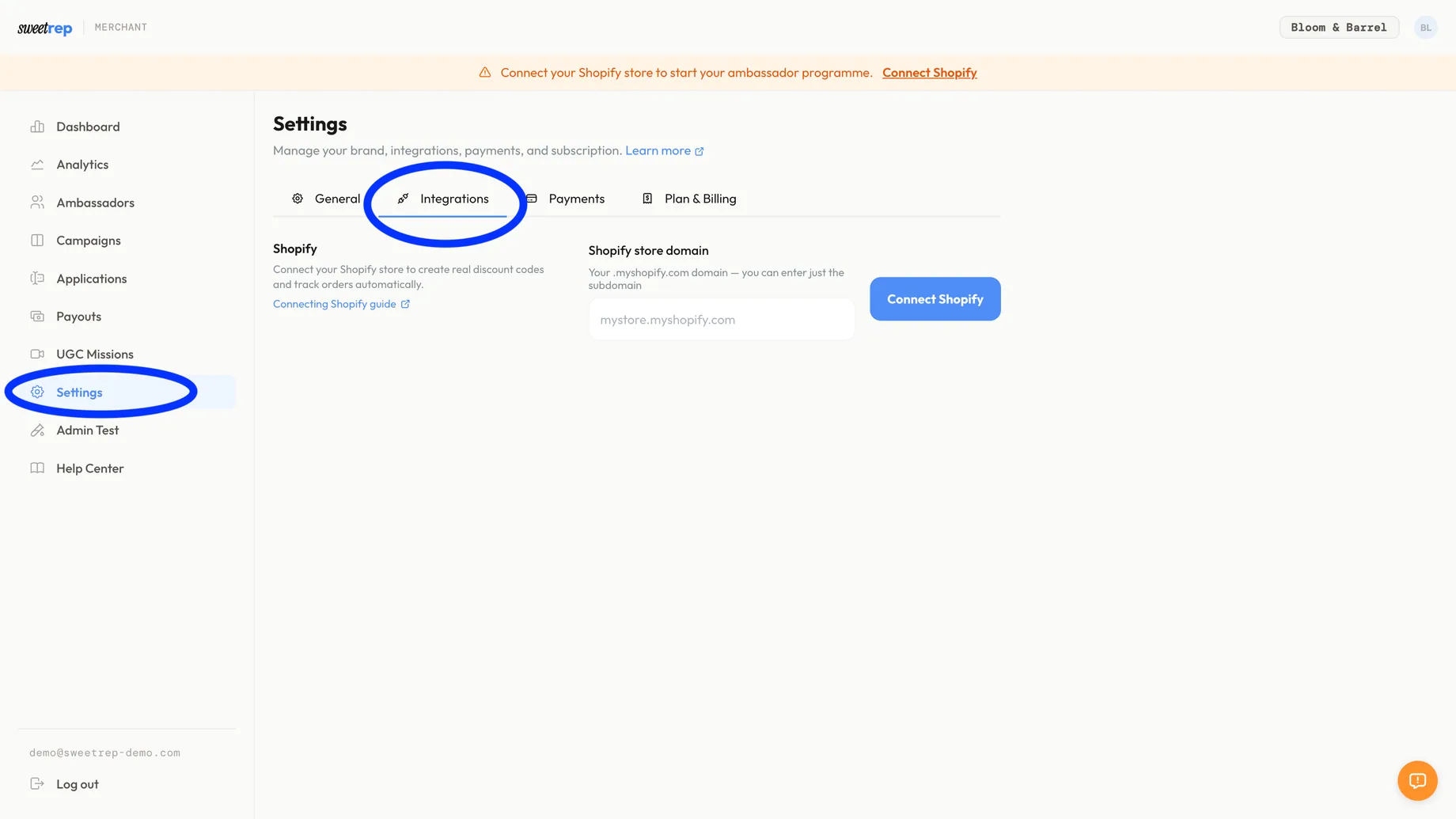
Go to Settings
From your merchant dashboard, navigate to Settings. Find the Shopify Connection section.
2
Enter your store domain
Type your Shopify store domain in the format
your-store.myshopify.com. Click Connect.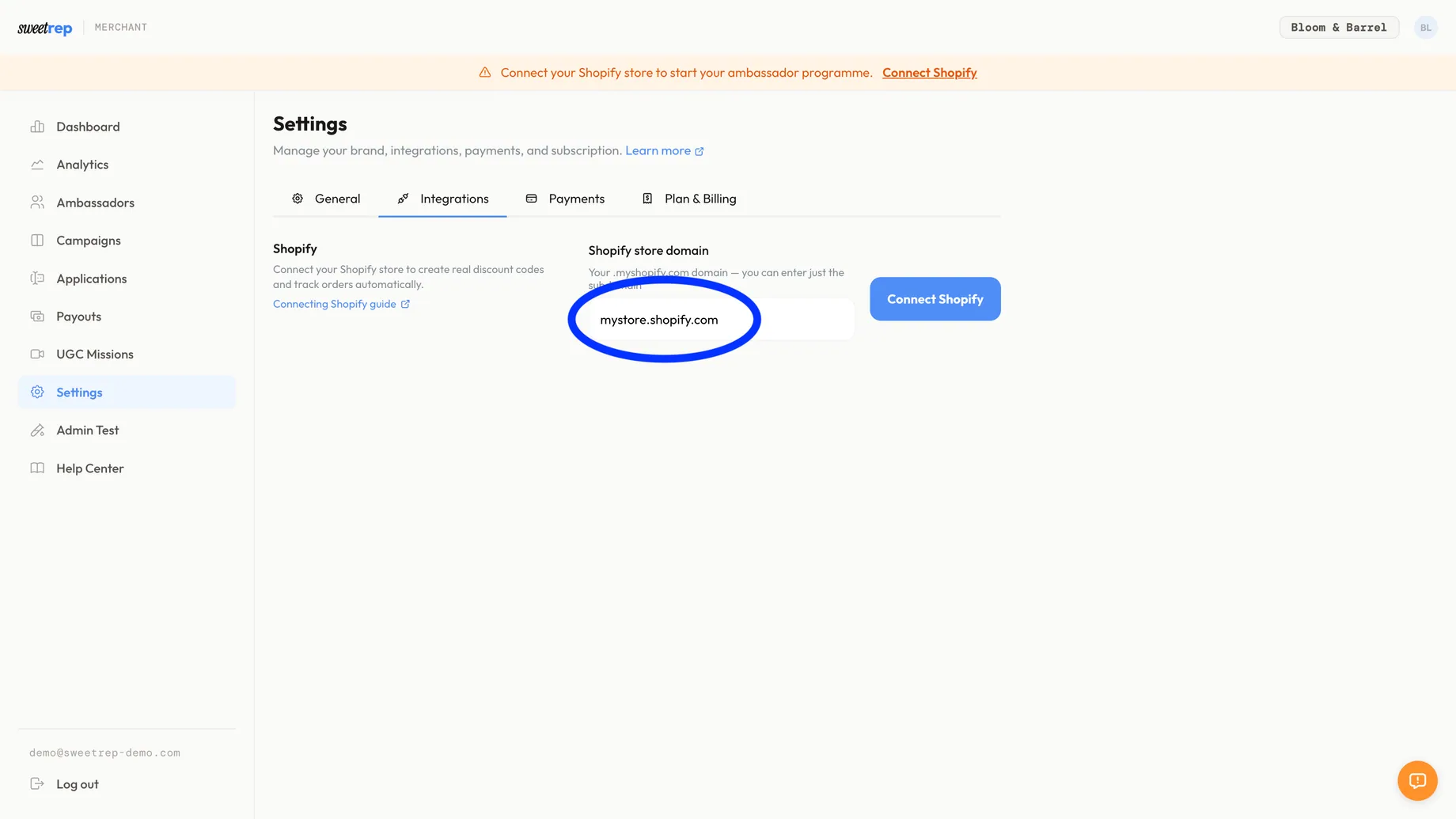
3
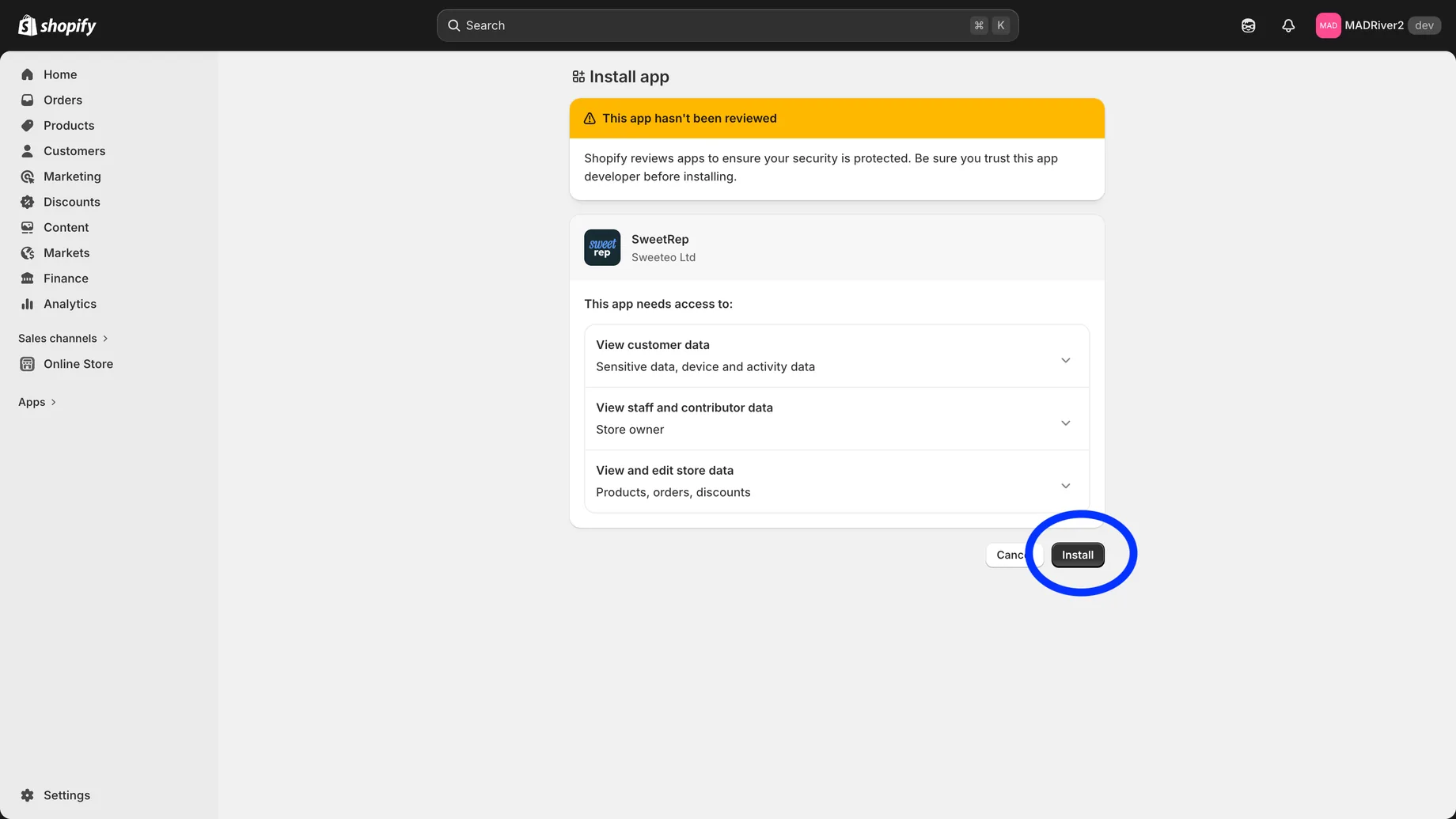
Install the app
You'll be redirected to Shopify to approve the SweetRep app installation. Review the requested permissions and click Install app.
4
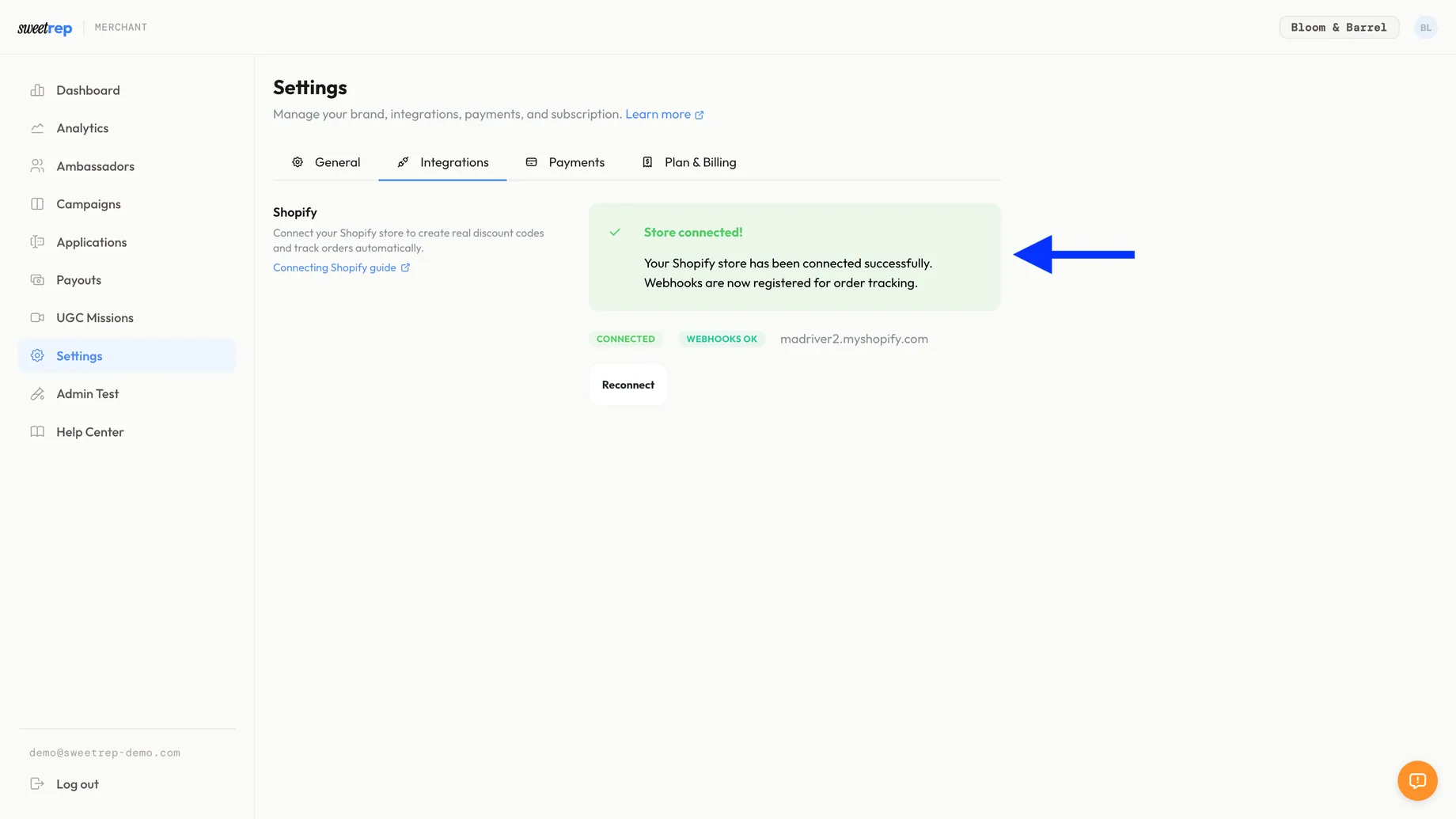
Verify the connection
After installation you'll be redirected back to SweetRep. The Settings page should now show a green Connected status with your store name.
Note
Troubleshooting
- Connection failed: Make sure you're using the
.myshopify.comdomain, not a custom domain. - Permission denied: You need to be the store owner or have app management permissions.
- Already connected: If the store is already linked to another SweetRep brand, you'll need to disconnect it from that brand first.